Installation
Option 1: Clone Repository
git clone https://github.com/SevenOfNine-ai/windows-pc-keyboard-layout-mac.git
cd windows-pc-keyboard-layout-mac
git lfs pull
Why git lfs pull Is Needed
This repository stores binary assets with Git LFS (configured in .gitattributes), including:
- screenshots in
images/ - icon files such as
.icns
Without git lfs pull, those files remain small text pointers instead of the real binaries, which can break visual docs and icon-generation workflows.
Install for current user:
mkdir -p ~/Library/Keyboard\ Layouts
cp -R root/pc-win-de-keyboard.bundle ~/Library/Keyboard\ Layouts/
Install system-wide:
sudo cp -R root/pc-win-de-keyboard.bundle "/Library/Keyboard Layouts/"
Option 2: Install with OpenPackage
npm install -g opkg
opkg install gh@SevenOfNine-ai/windows-pc-keyboard-layout-mac@v1.0.3
bash install-macos.sh
Note: In gh@... syntax, the version is a Git ref. This repository tags releases as vX.Y.Z, so use @v1.0.3 (not @1.0.3).
Enable in macOS
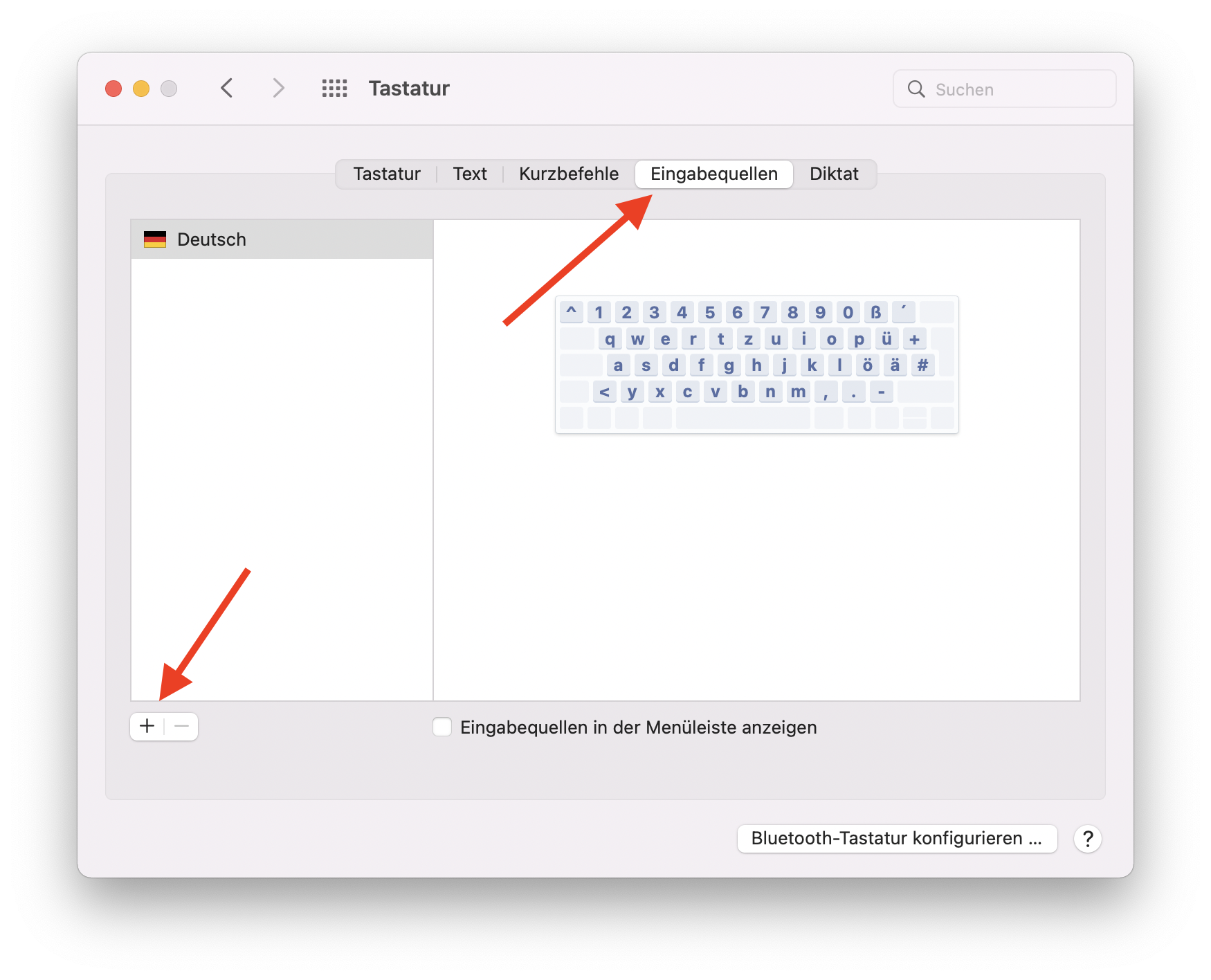
- Open
System Settings -> Keyboard -> Input Sources - Click
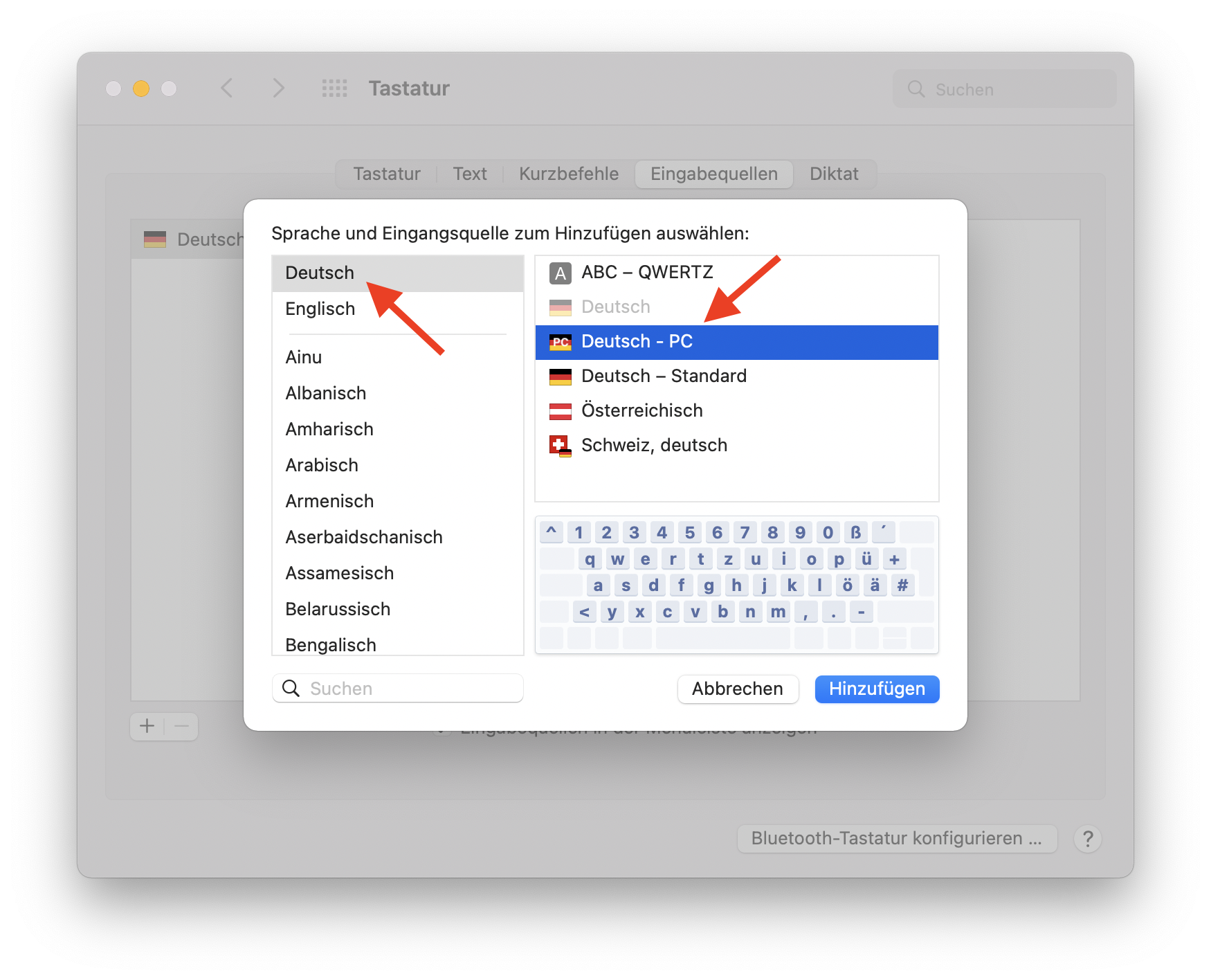
+ - Choose language
Deutsch - Select layout
Deutsch - PC
Reference:
Quick Verification
- Basic letters and umlauts
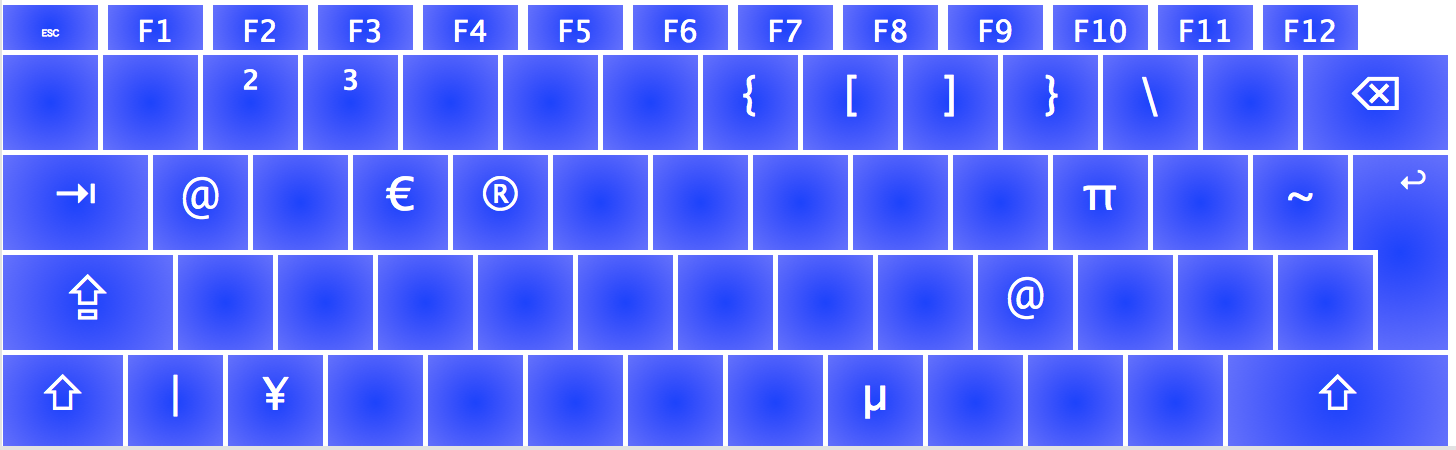
- Alt layer special characters (see image below)
- Dead-keys:
^, acute accent key, grave accent key ~outputs directly (not a dead-key)